
Registration and payments for homeschool co-ops and groups.
One link to register. Know who's coming before the deadline. Nothing for anyone to install.

Every part of hosting, handled.
Everything a guest needs, in one place.
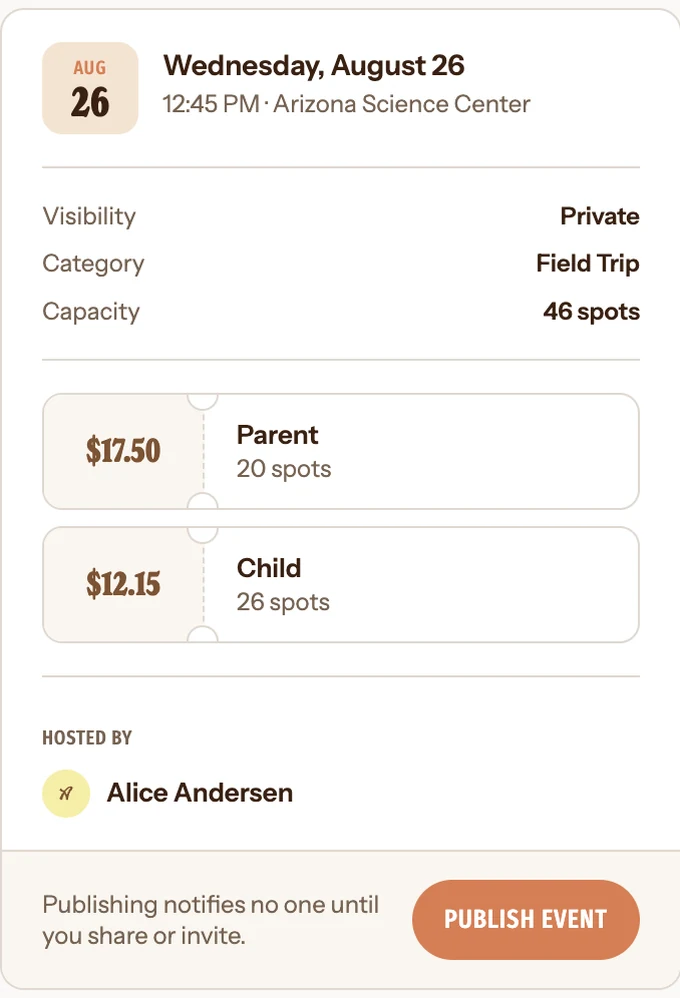
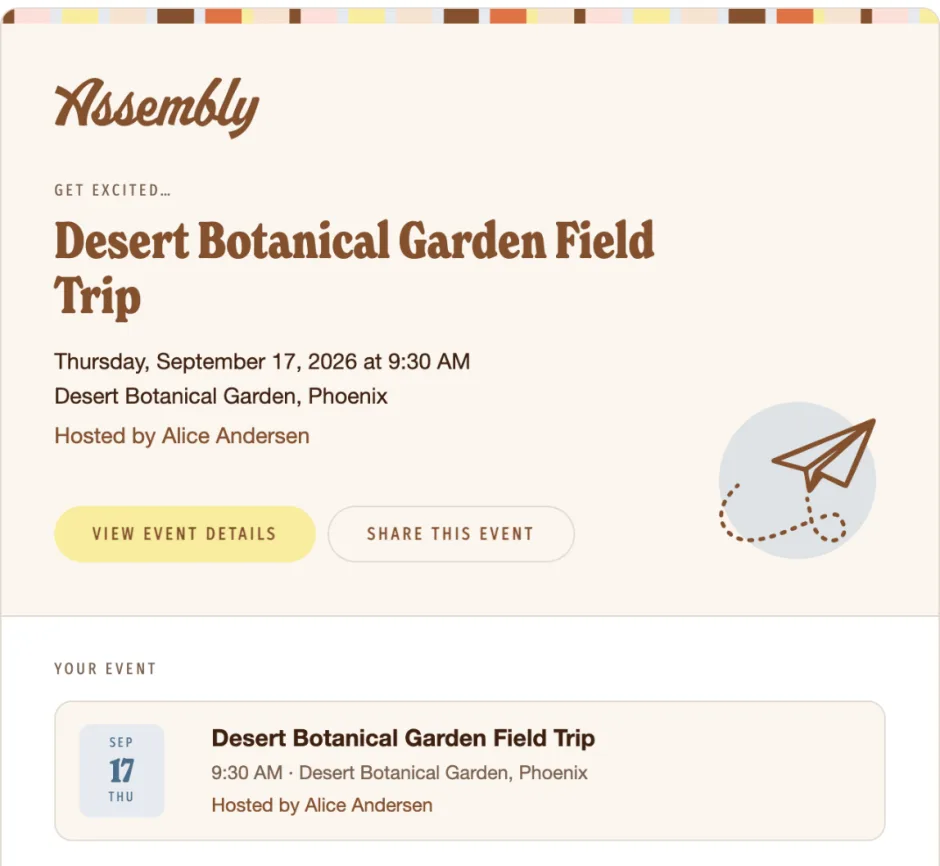
One page with the date, the place on a map, what to bring, and a picture. Share it once and nobody has to ask you for the details again.
- Spot types with a cap on each, like student and adult
- A day registration closes
- Save as a draft, or set the day it goes live
- Private to your group, or listed on Discover once you're approved
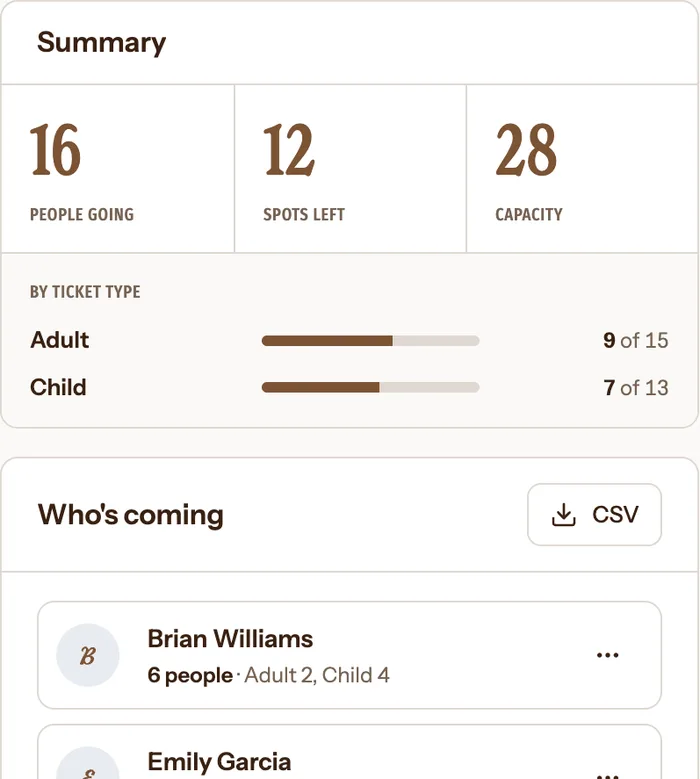
Who's coming, by name.
No more scrolling a thread to count. The number you report is the number that shows up.
- Spots taken and spots left, by spot type
- Each registration by name, with party size
- Confirmed, pending, and cancelled, each marked
- Download the list as a spreadsheet in one click
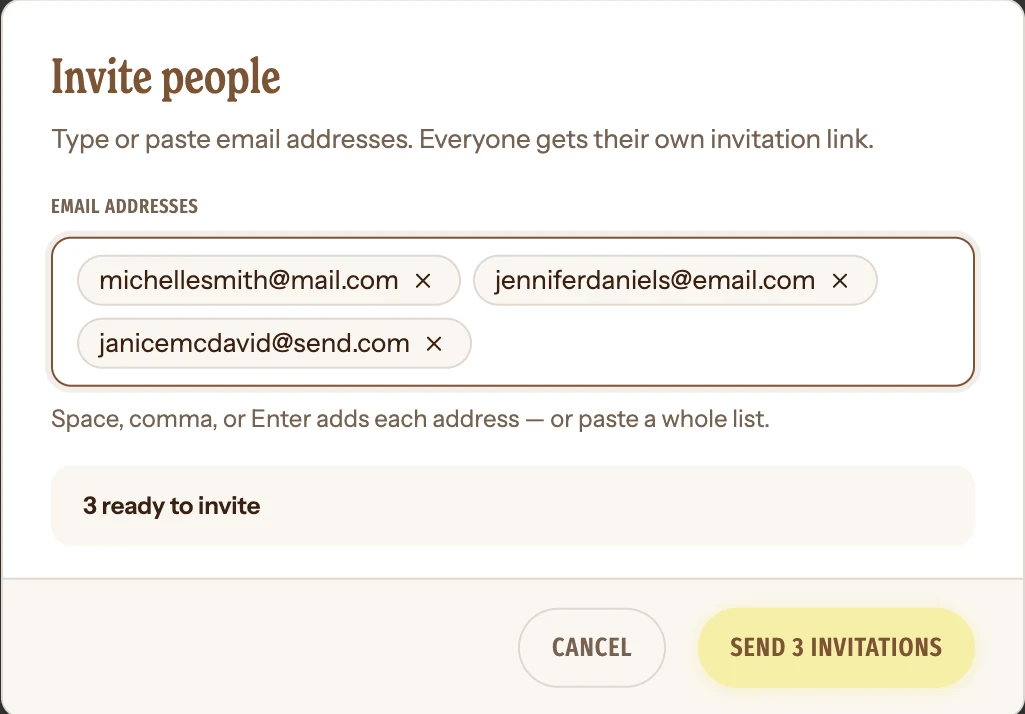
Invite the whole group at once.
Your group doesn't have to join anything first. The people you invite land on the event, ready to register.
- Paste a whole list of addresses at once
- Each person gets an email with the details and a Register button
- See who opened, who accepted, and who declined
- Saved groups you can invite again
- A share link for texts, Facebook, or your newsletter
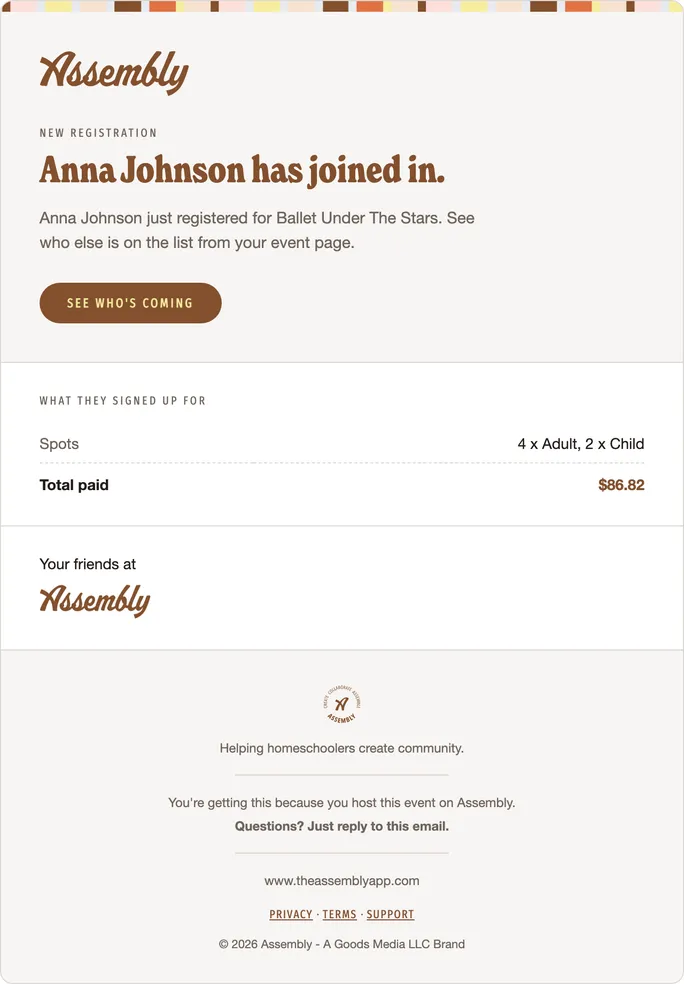
Every registration, in your inbox.
You find out the moment someone registers, and they walk away with everything they need for the day.
- An email to you with their name and how many spots they took
- A confirmation to them with the event details
- Add to Google Calendar or Apple Calendar from the email
Nobody asks if it's still on.
Pick the schedule once when you post. From then on, the reminding is done for you.
- A week, three days, a day, an hour, or thirty minutes before, up to five
- Each one carries the time, the place, and a link to the event page
- Sent by email, and as a phone notification for guests who turn those on
One thread, only for this event.
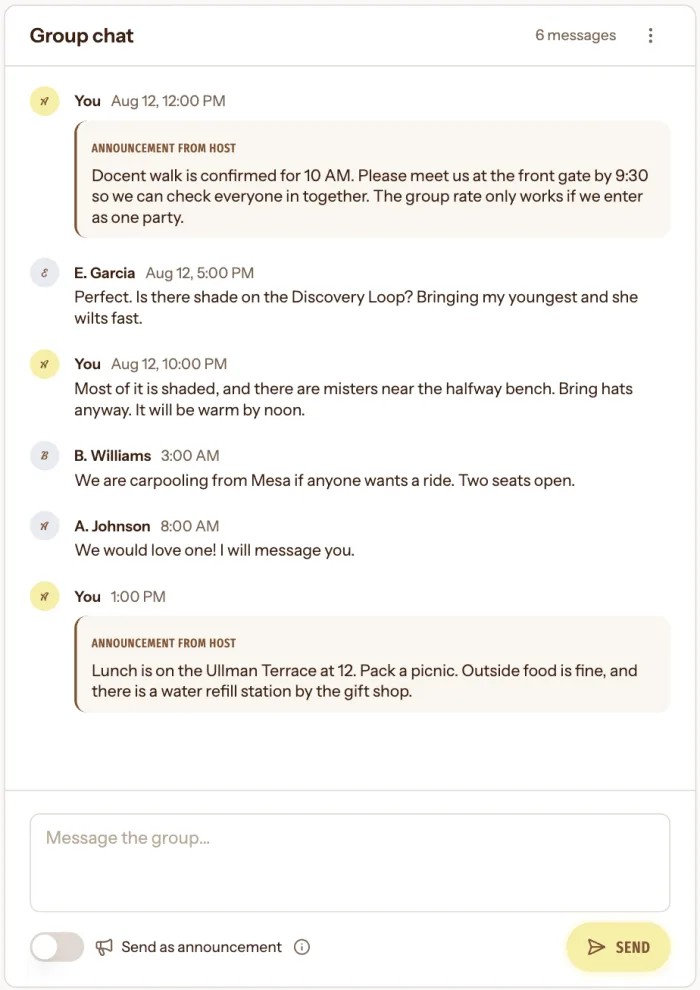
A parking change the morning of shouldn't get lost in a group text. Every event has its own conversation, and your announcements rise above it.
- A chat per event, for registered guests only
- Announcements that stand out and notify everyone
- Guests can mute a chat and still get your announcements
Paid means confirmed.
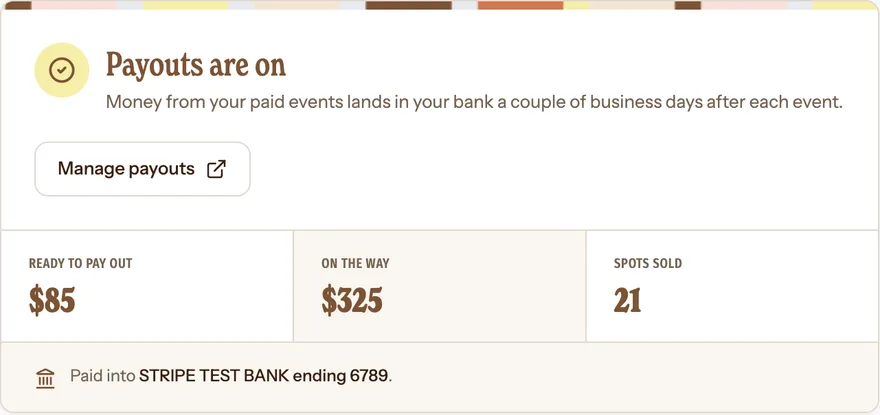
For a paid event, guests pay when they register, so you never front the deposit or chase anyone. The money goes to the bank account you connect, not your personal Venmo.
- A spot isn't confirmed until it's paid
- You receive the full amount you set. The guest pays the fees
- See what's ready to pay out and what's on the way
- A receipt for every registration, ready for reimbursement paperwork
- Cancel the event and everyone's money goes back on its own
Free events are free.
For paid spots the guest pays the spot price plus Assembly's 1% + 25¢ and the card fee (2.9% + 30¢). You receive the full amount you set. No subscription, ever.
Park days, co-op mornings, moms' nights. Free for you and your guests.
On a $15 field trip spot the guest pays $16.17 and you receive $15.00. Your money lands in your bank through Stripe.
Homeschool days, filled.
Post your homeschool day or weekday class, cap it at the room's size, and list it on Discover, where Phoenix homeschool families already look. Registration and payment are handled. You see who's coming and get paid through Stripe.
Your next event, one link away.
Built by homeschooling parents in Fountain Hills, Arizona.